
If you are researching Bulsatcom IPTV, you probably want to know which TV channels are available, how much the service costs, which devices it supports, and whether you can watch Bulgarian television outside Bulgaria. These details matter whether you live in Bulgaria or want to stay connected to Bulgarian programmes while living abroad.
There is one important point to understand before choosing a package: Bulsatcom’s TV services and branding have changed as the company became part of Vivacom. Current official pages refer to services such as b-box and Vivacom’s TV platforms. Older Bulsatcom information and app listings may therefore describe a different version of the service.
This guide focuses on official, licensed services and separates information that can be confirmed from details that you should check before ordering. You will learn how the service works, what to look for in a package, how to set it up, and how to compare it with other Bulgarian TV providers.
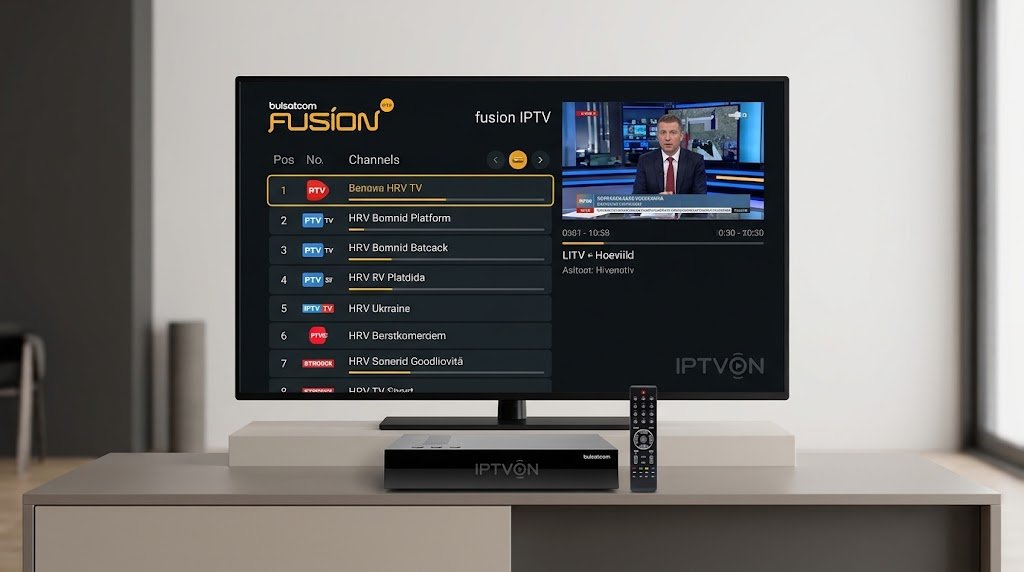
What Is Bulsatcom IPTV and How Does It Work?
Bulsatcom IPTV is an internet-based television service associated with Bulsatcom in Bulgaria. It delivers licensed TV channels and on-demand content through an internet connection and compatible devices, rather than relying only on a traditional satellite receiver.
Bulsatcom’s current service information needs to be read in the context of its integration with Vivacom. Vivacom’s official support page identifies it as the successor to Bulsatcom and lists online TV access through b-box and the Bulsatcom IPTV web player. It also explains that customers moved to My Vivacom for account management. vivacom.bg+1
IPTV explained in simple terms
IPTV stands for Internet Protocol Television. It means that television content is delivered over an internet connection. Depending on the service and subscription, you may be able to watch live channels, replay selected programmes, or access a video library.
A typical IPTV setup includes:
- An active TV subscription.
- A compatible Smart TV, phone, tablet, Android TV device, or supported receiver.
- A stable internet connection.
- The provider’s official app or web player.
- Valid account details or an activation process.
The exact features depend on the current Bulsatcom/Vivacom plan and the device you use. Do not assume that every feature shown in an older app description is included in every current subscription.
Bulsatcom and Vivacom: what customers should know
Bulsatcom’s official website now directs visitors to Vivacom’s support information. The transition announcement says existing service conditions and prices were preserved at the time of the change, while account management moved to My Vivacom. It also lists online access points for b-box and Bulsatcom IPTV. vivacom.bg+1
This matters when searching for Bulsatcom IPTV reviews, packages, or setup instructions. Some pages may refer to older Bulsatcom systems, while newer customer support and account services may be handled by Vivacom.
Before paying or changing a plan, confirm the current provider, product name, activation method, and terms directly with official customer support.
Bulsatcom TV Packages and Channel Lineups
Choosing the right package is one of the most important parts of buying a television service. A low monthly price may look attractive, but it is only useful if the package includes the channels you actually watch.
Bulsatcom’s available TV options, channel lists, and commercial terms may change. For this reason, check the current official offer rather than relying on old package names or third-party lists.
What channels should you check?
When comparing Bulsatcom TV packages, organise the channel list by the type of content you watch:
- Bulgarian general entertainment: national and regional programming.
- News: Bulgarian and international news channels.
- Sports: football, basketball, motorsport, and other sports coverage.
- Movies and series: film channels and entertainment networks.
- Children’s television: cartoons and family-friendly programmes.
- Documentaries: nature, history, science, and factual content.
- Music: Bulgarian and international music channels.
These are categories to look for, not a claim that every category or named channel is included in every Bulsatcom package.
How to check the current Bulsatcom channels
Use this process before subscribing:
- Visit the official Bulsatcom/Vivacom website.
- Open the television section or the Bulsatcom customer-support area.
- Find the current package and channel list.
- Check whether your favourite channels are included in the base plan or require an add-on.
- Confirm whether channels are available in HD or 4K.
- Ask whether the same channels are available through the app and on additional devices.
Package names, channel counts, channel availability and add-on prices: [VERIFY] against the current official offer before publication or purchase.
Are all channels available on every device?
Not necessarily. A channel may be included in a subscription but have different availability depending on the viewing platform, device, or content rights. Some programmes may also have separate replay or archive restrictions.
Ask the provider to confirm whether the channels you want are available on your chosen device. This is especially important if you plan to watch mainly through a Smart TV app instead of a supplied receiver.
Bulsatcom IPTV Features: App, Replay and Video Library
The viewing experience is about more than the number of channels. App quality, replay options, navigation, and device support can make a major difference to everyday use.
Bulsatcom’s b-box app listing describes interactive features such as pausing live content, restarting a live broadcast, creating favourite lists, and accessing an archive of recorded programmes. It also describes a video library with films, series, and children’s content. These are features stated in the app listing; current availability should be checked against the active service and subscription. Apps on Google Play
Catch-up TV and programme archive
Catch-up TV lets viewers watch selected programmes after their original broadcast. It can be useful when you miss a show, a football match, or a news programme.
The b-box app listing describes access to an archive of TV content from up to seven days earlier. Apps on Google Play
However, archive access may depend on the channel, programme rights, subscription, and current app version. Check whether the programmes you care about can actually be replayed.
Pause, restart and rewind
The b-box listing also describes controls for pausing a live broadcast, scrolling through it, and starting it again from the beginning. Apps on Google Play
These features are useful when:
- You start watching a programme late.
- Someone interrupts your viewing.
- You want to review a moment.
- You need to pause a live event briefly.
Do not assume every channel supports every playback control. The provider’s current channel and feature rules take priority.
Video on demand
A video library gives viewers access to selected films, series, and other content without waiting for a scheduled broadcast. The b-box app listing describes a library that includes films, series, and children’s series. Apps on Google Play
The available titles can change. Check whether a title is included in your plan or requires an additional payment before you rent or watch it.
Multi-screen viewing
The b-box terms describe use on a primary device and the possibility of adding further Smart TVs, receivers, or smart devices, subject to the applicable contract. The terms specify a maximum of three additional devices in the described arrangements. vivacom.bg
This does not mean that every account automatically receives four simultaneous streams. The number of registered devices, permitted simultaneous streams, and any extra fees should be confirmed in your individual plan.
Supported Devices: Smart TV, Android, iPhone and Web
Device compatibility is one of the most important things to check before subscribing to Bulsatcom IPTV. An app may be available for one operating system but not another. A television being labelled “Smart TV” does not automatically mean it supports the provider’s app.
The published b-box terms identify support for Android TV, Android devices, and iOS devices. They also state that the service works over an internet connection, regardless of the internet provider, subject to compatible equipment and network quality. vivacom.bg+1
Android TV
The b-box terms describe an Android TV application for compatible televisions and devices. vivacom.bg
Before installing it, check:
- Whether your TV runs Android TV or Google TV.
- Whether the app appears in the official app store for your device.
- Whether your operating-system version is supported.
- Whether your subscription includes app access.
Android phones and tablets
The terms also identify an app for Android smart devices. vivacom.bg
Use the official app-store listing rather than downloading installation files from unknown websites. Unofficial APK files can create security risks and may not work with the current service.
iPhone and iPad
The published terms identify iOS support for the b-box smart-device app. vivacom.bg
The older BulsatcomTV App Store listing describes a separate mobile application for watching television on phones, tablets, and laptops. It says users should register through the Bulsatcom website and use their account to sign in. Because this listing is older, confirm which app is currently supported before installing it. App Store
Web browser
Vivacom’s Bulsatcom support page lists online viewing destinations for b-box and the Bulsatcom IPTV web player. vivacom.bg
Use the official links provided by the operator. Browser compatibility, login requirements, and availability may vary.
IPTV box and other receivers
Some customers may use a receiver supplied or approved by the provider. The exact model and installation method depend on the subscription and service type.
Supported Smart TV brands, specific receiver models, browser requirements and current app availability: [VERIFY]. Do not assume that an app works on every Samsung, LG, Android TV, Apple TV, or streaming device.
How to Set Up and Activate Bulsatcom IPTV
The setup process depends on whether you have a Smart TV app subscription, a mobile-device subscription, or a receiver-based service. The following steps provide a general guide for compatible b-box devices. Follow the instructions supplied with your own subscription if they differ.
Step 1: Confirm your subscription
Before installing the app, make sure your TV service is active. Check the plan name, account status, included devices, and whether app access is part of your subscription.
If you are an existing Bulsatcom customer, use the current Vivacom customer-management process where applicable.
Step 2: Check your internet connection
Connect your television or device to a stable internet connection. You can use Wi-Fi or Ethernet if your device supports it.
For the most reliable viewing:
- Place your router in an open, central location.
- Avoid using a weak Wi-Fi signal.
- Use an Ethernet cable where practical.
- Pause large downloads if the stream keeps buffering.
- Restart your router if the connection becomes unstable.
The b-box terms state that service quality depends on the parameters of the internet network used by the customer. vivacom.bg
Step 3: Install the official app
Open the app store on your compatible device and search for the official b-box app. Check the publisher name and app details before installing.
Do not use an app with a similar name unless the provider confirms that it is official.
Step 4: Register or sign in
Follow the provider’s current registration process. Depending on the service, you may need to create an account, enter a username and password, or activate the service through customer support.
The published terms explain that customers install the relevant b-box app and start the service using their selected account credentials. vivacom.bg
Step 5: Activate your device
Complete any activation steps shown in the app. If activation fails, check that your subscription is active and that you are using the correct login details.
If your account requires operator activation, contact official support rather than trying random codes or third-party activation services.
Step 6: Test live TV and playback
Once you can sign in:
- Open a live channel.
- Check picture and sound quality.
- Test the programme guide if available.
- Try replay or archive features if your plan supports them.
- Test the service on any additional device included in your contract.
If you are setting up a new receiver, follow the model-specific instructions from the provider.
Bulsatcom IPTV Price, Contracts and Subscription Terms
The Bulsatcom price depends on the specific TV service, subscription arrangement, equipment, and any optional extras. Prices can also change over time, so an old advertisement or forum post is not a reliable source for the amount you will pay today.
The published b-box terms state that the monthly fee depends on the selected method of use and is shown on the operator’s website and during activation. They also describe monthly, fixed-term, and open-ended arrangements in the relevant service conditions. vivacom.bg
What affects the monthly price?
When comparing offers, check the full cost rather than looking only at the advertised monthly amount.
| Cost item | What to confirm |
|---|---|
| Main TV subscription | Current monthly fee and included channels |
| App access | Whether it is included or charged separately |
| Additional devices | Any extra monthly fee |
| TV receiver | Rental, purchase, or included equipment |
| Premium channels | Optional package charges |
| Installation | Whether a technician visit costs extra |
| Contract | Minimum term and cancellation rules |
| Promotions | How long the promotional price lasts |
Current package prices, equipment fees, installation costs and promotional terms: [VERIFY] directly with Bulsatcom/Vivacom.
Is there a monthly subscription?
The b-box terms describe a one-month tariff option for the service when ordered as a standalone service, with automatic monthly renewal after payment. The same terms also describe fixed-term and open-ended tariff arrangements, depending on how the service is provided. vivacom.bg
Check the contract carefully to understand when renewal occurs and how to stop the service.
What should you check before signing?
Read the contract and ask the provider:
- Is there a minimum contract period?
- Does the monthly price change after a promotional period?
- Is equipment included?
- Are additional devices charged separately?
- Can you cancel online or only through customer support?
- Are there fees for early termination?
- What happens if you move home?
A clear answer to these questions can prevent unexpected charges later.
Bulsatcom IPTV vs Vivacom vs A1: Which Should You Choose?
Bulgaria has several established television providers. Bulsatcom’s relationship with Vivacom means that comparisons should distinguish between legacy Bulsatcom services, current Vivacom offerings, and A1’s television products.
The best choice depends on your location, channel preferences, internet access, equipment, and budget.
| Provider | TV offering | App or viewing platform | What to compare |
|---|---|---|---|
| Bulsatcom / Vivacom | Bulsatcom TV services and current Vivacom options | b-box and Vivacom EON services, depending on the plan | Existing customer terms, app access, channels and equipment |
| Vivacom EON | Interactive TV and related TV packages | EON TV and compatible Smart TV app | Current package, device support and contract |
| A1 Bulgaria | A1 TV and Xplore TV services | Xplore TV and related apps | Channel selection, internet bundle and add-ons |
Vivacom’s official support page describes the transition of Bulsatcom customers and the availability of EON applications with TV services at the time of the change. vivacom.bg
A1’s official television page describes its TV packages and Xplore TV options. А1+1
Bulsatcom/Vivacom
This option may be worth considering if you already have a Bulsatcom subscription or want to understand the services that continued under Vivacom. Existing customers should check their account and current service terms before changing anything.
Vivacom EON
Vivacom’s EON platform is a separate current product offering. Its available packages, app compatibility, and contract terms should be compared with the specific Bulsatcom service you are considering.
A1 Bulgaria
A1 offers television packages and Xplore TV options. Its official site describes packages with different channel selections and optional extras. А1+1
How to make the comparison
Do not choose based only on the provider’s advertised channel count. Compare the exact channels, total monthly cost, device support, replay features, and contract length.
For example, a household that mainly watches Bulgarian news and entertainment may need a different package from a sports fan who wants specific football competitions. A person living in a rented flat may also prefer an app-based service that does not require a satellite dish or a permanent installation.
Can You Watch Bulsatcom IPTV Outside Bulgaria?
This is an important question for Bulgarians living abroad. The answer depends on the customer’s country of residence, the type of subscription, and the provider’s content rights.
The published b-box terms say that the service is intended for customers residing in Bulgaria and may be used temporarily in another EU member state under the relevant EU portability rules. The terms also state that use outside the EU is not permitted under that service agreement. vivacom.bg+1
Watching while temporarily travelling in the EU
EU rules on online content portability allow eligible subscribers to access paid online content services while temporarily travelling in another EU country. The rules apply to paid online content subscriptions, subject to the relevant conditions. Your Europe
For Bulsatcom b-box, the published terms refer to temporary use in another EU member state by a customer whose country of residence is Bulgaria. The operator may verify the customer’s country of residence. vivacom.bg
Watching from the UK, USA, Canada or another non-EU country
Do not assume that a Bulgarian subscription can be used permanently in the UK, USA, Canada, or another country outside the EU. The published b-box terms restrict use outside the EU and allow the operator to limit access or terminate the service in certain circumstances. vivacom.bg
If you live abroad permanently, contact the provider and ask whether it offers a service licensed for your country. Do not rely on unofficial access methods or assume that a VPN changes the subscription’s legal permissions.
Questions to ask before travelling
- Is temporary viewing permitted in my destination country?
- Does the service require Bulgaria to remain my country of residence?
- Are all subscribed channels available while travelling?
- Are there restrictions on specific programmes?
- What should I do if the app blocks access abroad?
For official rules, see the European Commission’s Your Europe guide to accessing online content abroad.
Common Bulsatcom IPTV Problems and Troubleshooting
Like any internet-based TV service, Bulsatcom IPTV can experience problems caused by the network, device, app, account, or service itself. Try the basic checks below before contacting support.
Buffering or poor picture quality
Buffering usually means the stream is not receiving data consistently. The cause may be weak Wi-Fi, network congestion, router problems, or a temporary service issue.
Try these steps:
- Test another website or streaming app on the same device.
- Restart your router.
- Move closer to the router.
- Connect using Ethernet if possible.
- Stop other devices from using heavy downloads.
- Restart the TV or streaming device.
If other services work normally but Bulsatcom does not, contact the provider and report the channel, device, and time of the problem.
Login or password errors
If you cannot sign in, check that you are using the correct account for the current service. Older Bulsatcom account details or portals may not work in the same way after the transition to Vivacom.
Try resetting your password through the official account process. Never share your password with someone claiming to provide unofficial activation.
App not opening
An app may fail because it is outdated, incompatible, or temporarily experiencing a fault.
- Restart your device.
- Check for app updates.
- Check for operating-system updates.
- Confirm that your device is supported.
- Reinstall the official app if necessary.
If the app is no longer listed in your device’s app store, contact the provider before installing a file from another website.
No signal or black screen
For a receiver-based service, check the power cable, HDMI connection, input selection, and receiver status. If the problem affects several channels, it may be a service or signal issue.
For an app-based service, test another channel and check your internet connection. Record any error message so customer support can identify the issue more quickly.
Missing channels
A missing channel may be caused by a package change, channel-rights issue, account restriction, or outdated channel list.
Check the current channel lineup and your subscription details. If the channel should be included, contact the provider with your account information and the channel name.
Pros and Cons of Bulsatcom IPTV
A fair review should consider both the useful features and the limitations. The exact experience will depend on the current subscription and device.
Potential advantages
- Internet-based viewing: Compatible services can work over an internet connection without relying solely on a satellite receiver.
- Multiple device options: The published b-box terms describe Android TV, Android, and iOS support. vivacom.bg
- Interactive playback: The b-box app listing describes pause, restart, and archive functions. Apps on Google Play
- Additional viewing devices: The terms describe options for adding compatible devices, subject to the contract. vivacom.bg
- Established Bulgarian TV brand: Existing customers may find it convenient to continue with their service through the current support arrangements.
Potential disadvantages
- Changing product names and systems: The integration with Vivacom can make older guides confusing.
- Device restrictions: Not every Smart TV or streaming device is necessarily supported.
- Internet dependence: App-based viewing quality depends on the connection.
- Content restrictions abroad: The published b-box terms limit use outside the EU and set conditions for temporary EU use. vivacom.bg
- Prices need checking: Older package information may no longer reflect the current offer.
Who should consider it?
Bulsatcom-related services may be worth considering if you are an existing customer, want Bulgarian television, and have confirmed that the current package includes the channels and devices you need.
If you are a new customer, compare the current offer with Vivacom EON and A1 before signing a contract. The most suitable option is the one that meets your viewing needs at a clear total cost.
Frequently Asked Questions About Bulsatcom IPTV
1. What is Bulsatcom IPTV?
Bulsatcom IPTV is an internet-based television service associated with Bulsatcom in Bulgaria. It provides access to television content through compatible devices and an internet connection. Bulsatcom services are now supported through Vivacom, so customers should check the current official product and account information.
2. Does Bulsatcom have an IPTV app?
Yes. Bulsatcom has offered the b-box app for compatible devices. Its published terms describe support for Android TV, Android, and iOS. The exact app and availability can change, so check the official app store and current provider instructions before installing.
3. How many channels does Bulsatcom IPTV offer?
The b-box app listing describes access to 240 TV channels, including more than 130 HD channels and 8 in 4K. These figures come from the app listing and should not be treated as a guarantee for every current package. Check the latest official channel list before subscribing. Apps on Google Play
4. How much does Bulsatcom IPTV cost per month?
The monthly price depends on the selected service, subscription type, and any additional devices or options. The published b-box terms state that the applicable fee is shown by the operator during the subscription or activation process. Check the current official offer for exact prices.
5. Can I watch Bulsatcom IPTV on a Smart TV?
The b-box terms describe an Android TV app for compatible Smart TVs. They also describe apps for Android and iOS smart devices. Support for other television operating systems and specific models should be confirmed with the provider before you subscribe. vivacom.bg
6. Can I watch Bulsatcom TV outside Bulgaria?
The published b-box terms allow eligible customers residing in Bulgaria to use the service temporarily in another EU member state, subject to EU portability rules. They state that use outside the EU is not permitted under those terms. Check the current contract if you plan to travel or live abroad. vivacom.bg
7. What is the difference between Bulsatcom and Vivacom?
Vivacom is the successor to Bulsatcom and manages support and customer services for Bulsatcom customers. The transition information explains that customer account management moved to My Vivacom and identifies online TV access options. Some existing Bulsatcom services may still have their own names and terms. vivacom.bg+1
8. Why does Bulsatcom IPTV keep buffering?
Buffering can result from weak Wi-Fi, a slow or unstable internet connection, network congestion, an outdated app, or a temporary provider issue. Restart your router and device, test another channel, and try Ethernet if possible. If the issue continues, contact official support with the error details.
Conclusion: Is Bulsatcom IPTV Worth Considering?
Bulsatcom IPTV remains a relevant search for people looking for Bulgarian television, but customers should understand the changes to the service following Bulsatcom’s integration with Vivacom. Current support, account management, and TV options may appear under Vivacom branding, while b-box and other Bulsatcom viewing options are still referenced in official information.
The service’s published app and terms describe useful features such as live TV controls, programme archives, and support for selected Android and iOS devices. However, the exact channels, prices, device compatibility, and contract conditions must be checked against the current offer.
If you are comparing Bulgarian TV providers, review the official Bulsatcom/Vivacom information alongside Vivacom EON and A1. Check the complete channel list, monthly cost, additional-device fees, and rules for watching abroad before you subscribe.