
An SDI IPTV encoder turns the uncompressed signal from a professional camera, switcher or playout server into a compressed IP stream that can travel across an ordinary network. If you run a church, a sports venue, a hotel TV system, a university or a regional broadcast facility, this one box is often the bridge between your production gear and every screen, app or CDN that needs the feed.
The market is crowded, and spec sheets can look identical until you hit a real-world problem: an unsupported codec, a protocol your decoder cannot read, or a model that handles one channel when you need four. This guide explains how an SDI to IPTV encoder works, which features matter, how H.264 and H.265 compare, and how current models stack up on specifications and price. It also covers setup, troubleshooting and where to buy in the USA, UK and Canada.
Prices and specifications come from manufacturer and retailer pages checked in October 2026. Street prices change often, so confirm the current figure with your reseller before you buy.
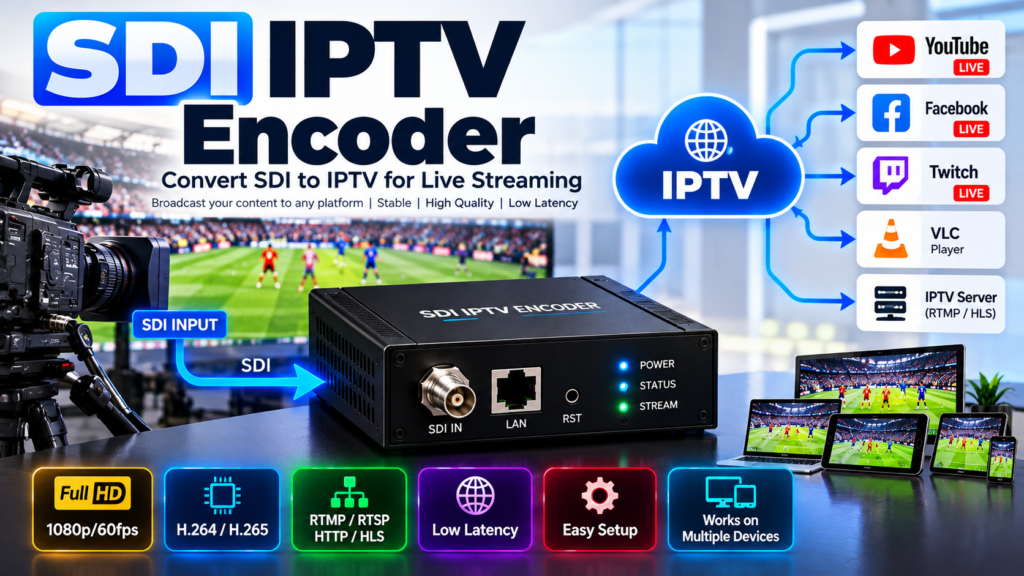
What Is an SDI IPTV Encoder?
An SDI IPTV encoder is a hardware appliance (or capture card) that accepts a Serial Digital Interface (SDI) signal and compresses it into an IP stream, usually H.264 (AVC) or H.265 (HEVC). BNC cable in, Ethernet out.
SDI is the standard video link in studios, outside-broadcast trucks and live venues. It carries uncompressed video and embedded audio over coaxial cable at speeds defined by SMPTE standards:
- SD-SDI (SMPTE ST 259): standard definition
- HD-SDI (ST 292): 720p and 1080i
- 3G-SDI (ST 424/425): 1080p60
- 6G-SDI and 12G-SDI (ST 2081 and ST 2082): 4K at up to 60 frames per second
An uncompressed 3G-SDI signal runs at nearly 3 Gb/s, far too much for a normal network. An SDI video encoder shrinks it to a few megabits per second while keeping the picture broadcast-clean.
Two terms are worth separating. IPTV traditionally means television delivered over a managed IP network, often as multicast MPEG-TS to set-top boxes or hotel TVs. OTT streaming means delivery over the open internet to apps and platforms such as YouTube or a CDN. Most professional IPTV encoders handle both, so one SDI to IPTV encoder can feed a building’s TV system and a public live stream at the same time.
Compared with a consumer HDMI streaming box, a professional unit typically adds a loop-through SDI output, longer cable runs, frame synchronization, multi-channel embedded audio, a web interface for remote control, and hardware built for continuous operation.
How Does an SDI to IPTV Encoder Work?
Every SDI to IPTV encoder follows the same pipeline:
- Capture. The SDI receiver locks to the incoming signal, detects the format automatically and separates embedded audio.
- Conditioning. A frame synchronizer smooths over input glitches. The encoder may also de-interlace, scale or crop.
- Compression. A hardware codec compresses video with H.264 or H.265. Audio is typically encoded as AAC.
- Packaging. Streams are wrapped in a transport format such as MPEG-TS, RTP, FLV (for RTMP) or HLS segments.
- Delivery. The encoder sends the stream to a server, CDN, decoder or multicast group over Ethernet or Wi-Fi.
Bitrate and latency
Bitrate is the data rate of the compressed stream. As a rough starting point, a fast-moving 1080p60 sports feed often needs 8 to 15 Mb/s in H.264, while a talking-head 1080p30 feed can look good at 3 to 6 Mb/s. Tune to your content and network.
Latency is the delay between camera and viewer. It grows with every buffer in the chain: encoder look-ahead, protocol buffering, CDN segmenting and the player. SRT or RTP on a clean LAN can keep delay under a second, while HLS commonly adds several seconds because video is delivered in chunks.
Streaming protocols compared
| Protocol | Best for | Notes |
|---|---|---|
| RTMP / RTMPS | Feeding YouTube, Facebook, Twitch and CDNs | Universal ingest, mostly H.264 |
| SRT | Contribution over the internet | Open source, AES encryption, error recovery on lossy networks |
| RTSP / RTP | IP cameras, VMS, local viewing | Low delay on a managed LAN |
| MPEG-TS over UDP/RTP | Classic IPTV headends, multicast | Efficient on managed networks, no retransmission |
| HLS | Browsers and mobile apps | Wide compatibility, higher latency |
| NDI|HX | Production workflows on a LAN | Needs NDI-capable software or hardware |
Key Features to Look for in an SDI IPTV Encoder
SDI input speed. Match the encoder to your cameras. A 3G-SDI input covers 1080p60. If you shoot or switch in 4K, you need a 6G or 12G input. Cable reach drops as speed rises: one Magewell spec sheet lists up to 200 m for 3G-SDI, 80 m for 6G and 30 m for 12G.
Codec support. H.264 is the safe default. H.265 matters when bandwidth is tight or you stream 4K. A professional IPTV encoder that offers both gives you room to grow.
Protocols. Check that the encoder outputs what your destination accepts. For IPTV headends, look for MPEG-TS over UDP/RTP (and multicast). For platforms, RTMP/RTMPS. For remote contribution, SRT.
Maximum bitrate and resolution. Entry-level units cap around 16 to 20 Mb/s, which is plenty for 1080p. Broadcast contribution may call for 30 Mb/s or more.
Audio. Look for 8 or 16 embedded SDI audio channels, a line input, and control over AAC settings.
Loop-through output. A passthrough lets you keep monitoring on a confidence display. It is easy to overlook and hard to retrofit.
Multiple streams and recording. Dual-stream encoding lets you send a high-bitrate feed to a decoder and a lower-bitrate feed to the web. Local recording to SD, USB or network storage is a useful safety net.
Management and reliability. A web UI, an HTTP API for automation, PoE or redundant power, and a rack-mount option matter for permanent installs.
Best SDI IPTV Encoders in 2026
The models below were chosen because each has an SDI input, H.264 and/or H.265 output and verifiable specifications. Prices are retailer listings in the currency shown and will move.
| Model | SDI input | Codecs | Key protocols | Reference price |
|---|---|---|---|---|
| Magewell Ultra Encode SDI | 3G-SDI, up to 2048x1080p60 | H.264, H.265 | RTMP(S), SRT, RTSP, HLS, TS over UDP/RTP, NDI|HX2 | $555 (US retailer); £348 + VAT UK SRP |
| Kiloview E3 | 3G-SDI plus 4K HDMI | H.264, H.265 | NDI|HX2/3, SRT, RTMP(S), HLS, TS over UDP/RTP, RTSP | $499 list (US distributor) |
| Matrox Monarch HDX | 3G-SDI plus HDMI | H.264 | RTMP, RTSP/RTP | $1,370 (US retailer) |
| AJA HELO Plus | 3G-SDI plus HDMI | H.264 | RTMP(S), RTSP, RTP/UDP, HLS, SRT | $1,869 (US retailer); £525 listed in UK |
| Haivision Makito X4 | 12G/6G/3G/HD-SDI, up to 4 HD channels | H.264, H.265 | SRT, MPEG-TS over UDP/RTP | Quote only |
Magewell Ultra Encode SDI: best value SDI to IPTV encoder
The Ultra Encode SDI handles up to 2048×1080 at 60 fps, supports H.264 and HEVC, and offers RTSP, RTMP, RTMPS, SRT, NDI|HX2, HLS and TS over UDP or RTP. Its main stream tops out at 16 Mb/s, with a 2 Mb/s sub stream. That is ample for 1080p IPTV and OTT delivery. It is a good fit for schools, churches and small facilities. If you need 4K, Magewell also lists an Ultra Encode SDI Plus; one European reseller lists it with input up to 4096×2160 at 30 fps and a 32 Mb/s maximum bitrate for most protocols. Magewell’s separate Pro Convert line converts SDI to NDI rather than H.264/H.265 IPTV, so choose carefully. Magewell Ultra Encode SDI +2
Kiloview E3: best budget dual-input encoder
The E3 takes 3G-SDI at up to 1080p60 and HDMI up to 4Kp30, encodes in H.264 and H.265, and can run up to 16 simultaneous streams. A US distributor lists it at $499. It is the best pick when your sources are mixed (an SDI camera and an HDMI laptop) and you want both HEVC and a broad protocol list at the lowest cost. Note that the SDI input tops out at 3G; the 4K limit applies to HDMI. thomannmidwich
Matrox Monarch HDX: reliable H.264 for 24/7 duty
The Monarch HDX generates two H.264 streams at bitrates from 200 Kb/s to 30 Mb/s, and one retailer lists it at $1,370. Matrox lists RTMP and RTSP/RTP output. There is no H.265, so it suits facilities that value a proven, simple appliance with a frame synchronizer over cutting-edge codecs. Availability varies by reseller, so check stock. fullcompassmatrox
AJA HELO Plus: best for hands-on streaming and recording
HELO Plus encodes up to 1080p60 in H.264, streams to two destinations at once, records to SD, USB or network storage, and supports data rates from 100 kb/s to 20 Mb/s. One US retailer lists it at $1,869. A UK reseller lists it at £525 at the time of checking, so compare regional prices carefully. It is strong where operators need a scheduler, picture-in-picture and a three-year warranty. Product Overview +2
Haivision Makito X4: best for broadcast contribution
The Makito X4 series supports up to four simultaneous 1080p50/60 encodes, or 4K UHD, in HEVC and H.264, with native SRT. It also offers redundant-path streaming and stream synchronization for multi-camera remote production. Resellers handle it through quote requests, not fixed prices. Expect enterprise pricing and plan on a matching Makito decoder. milexialang-iberia
H.264 vs H.265 SDI IPTV Encoders
H.264 (AVC) is the compatibility champion. Practically every player, set-top box, hotel TV, browser and streaming platform accepts it, and RTMP ingest is built around it. A H.264 SDI IPTV encoder is the right default for general distribution.
H.265 (HEVC) compresses more efficiently. Kiloview, for example, advertises bandwidth savings of up to 50%, which in practice means similar quality at a much lower bitrate or better quality at the same one. That makes an H.265 SDI encoder attractive for 4K, bandwidth-limited uplinks and SRT contribution. avstore
| H.264 | H.265 | |
|---|---|---|
| Bandwidth for similar quality | Baseline | Often substantially lower |
| Device and platform support | Near universal | Narrower, especially in browsers and older boxes |
| Encoder cost | Lower | Usually higher |
| Best for | Public distribution, RTMP, legacy IPTV | 4K, contribution links, controlled decoders |
Recommendation: if every endpoint is under your control (your own decoders or modern set-top boxes), use H.265. If you serve the public or mixed hardware, use H.264 or encode both, as the Magewell and Kiloview units can.
SDI vs HDMI IPTV Encoders
HDMI is a consumer interface. SDI is a professional one, and the differences show up in the field.
- Cable length and strength. SDI runs over coax for tens to hundreds of meters, as the lengths above show. HDMI cable runs are far shorter without extenders.
- Connectors. SDI uses locking BNC connectors that resist being knocked loose. HDMI plugs can wiggle out mid-show.
- Audio. SDI carries up to 16 embedded audio channels, versus fewer on most HDMI sources.
- Source gear. Broadcast cameras, switchers and replay systems output SDI. Laptops, consoles and consumer cameras output HDMI.
An HDMI SDI IPTV encoder with both inputs, such as the Kiloview E3, Matrox Monarch HDX or AJA HELO Plus, is the practical answer when your sources are mixed. Choose SDI-only units like the Ultra Encode SDI when you want a simple, dedicated feed.
How to Set Up an SDI IPTV Encoder: Step-by-Step Guide
- Plan the format. Confirm your camera or switcher output (for example, 1080p59.94 on 3G-SDI) and your destination’s requirements (protocol, codec, bitrate cap).
- Connect the signal. Run SDI into the encoder’s input with a quality 75-ohm cable. Use the loop-through to feed a monitor.
- Network it. Connect Ethernet to a switch. Most units use DHCP, and the manufacturer’s utility or your router’s client list will show the IP address. Assign a static IP or DHCP reservation for permanent installs.
- Open the web interface. Browse to the IP address and check that the input format is detected.
- Choose codec and bitrate. Start with H.264, a bitrate that fits 70 to 80 percent of your upload capacity, and a keyframe interval of 1 to 2 seconds.
- Set the output. Enter the RTMP URL and key, the SRT address and port, or the multicast group for IPTV.
- Map audio. Select the embedded channel pair and confirm levels.
- Test and monitor. Start the stream, check it on a real decoder or player, and let it run for 30 minutes before the event. Save a preset.
SDI IPTV Encoder Applications for Live Streaming and Broadcasting
- Houses of worship and education. A single SDI encoder for live streaming sends services and lectures to YouTube while feeding campus IPTV.
- Sports venues. Multi-camera feeds travel over SRT to a production hub, with a decoder handing SDI back to the truck.
- Hospitality and healthcare. MPEG-TS multicast distributes channels to in-room TVs over the existing network.
- Corporate and government. Town halls and control-room video go to internal viewers over secure, encrypted streams.
- Regional broadcasters. An SDI encoder for broadcasting provides contribution links from remote sites back to the station.
- Event production. Dual-stream units send high-quality program feeds and low-bitrate proxies at once.
How Much Does an SDI IPTV Encoder Cost?
SDI IPTV encoder price depends on resolution, channel count and reliability features:
- Under $600 (about £350 to £500): single-channel 1080p units such as the Kiloview E3 and Magewell Ultra Encode SDI. Best for churches, schools and small studios.
- $1,300 to $2,000: appliance-class encoders such as the Matrox Monarch HDX and AJA HELO Plus, with recording, schedulers and strong build quality.
- Quote-based: multi-channel, 4K, broadcast-grade systems like the Haivision Makito X4, often paired with decoders and management software.
Budget for extras too: SDI cables, a managed switch, rack kits, a decoder at the receiving end, and any streaming platform or CDN fees. Prices differ by region and tax treatment (US prices exclude sales tax, and UK listings may or may not include VAT), so compare like for like.
Recommendations by use case
- Tight budget, 1080p: Magewell Ultra Encode SDI or Kiloview E3.
- Mixed SDI and HDMI sources: Kiloview E3 or AJA HELO Plus.
- Permanent, always-on installs: Matrox Monarch HDX.
- 4K or multi-camera broadcast contribution: Haivision Makito X4 (or the Ultra Encode SDI Plus for single-channel 4K30).
Where to Buy an SDI IPTV Encoder in the USA, UK and Canada
USA. Authorized retailers that list these products include B&H, Full Compass, Markertek, Adorama and Motion Media. Distributors such as Midwich also publish list pricing.
UK. Magewell’s UK distributor Holdan lists an SRP and points buyers to resellers, and independent AV retailers such as ProAV and RCB Logic stock encoders. Check whether prices include 20% VAT.
Canada. I could not verify specific Canadian retailer prices, so check the dealer locators on the Magewell, Kiloview, AJA, Matrox and Haivision websites and ask for CAD pricing that includes duty and shipping.
Before you buy, confirm that the seller is authorized (for warranty), what power adapter is included (Magewell lists US/EU/UK/AU/JP adapters in the box), and the return policy. For Haivision and other enterprise gear, request a quote and a demo.
Common SDI IPTV Encoder Problems and Solutions
No signal detected. Check the cable, the BNC connection and that the source is set to a supported format (for example, a 3G-only encoder cannot lock to a 12G output). Try a shorter cable.
Stream stutters or drops. Lower the bitrate, use CBR, and test your upload speed. For unreliable links, switch from RTMP to SRT and raise its latency buffer.
Audio out of sync or missing. Confirm the correct embedded channel pair, sample rate (48 kHz is standard) and that the destination accepts AAC.
Platform rejects the stream. Check the stream key, the keyframe interval (YouTube-style platforms usually want 2 seconds or less), and codec support. HEVC over RTMP often is not accepted.
Cannot find the encoder on the network. Look at the DHCP table, use the vendor discovery tool, or connect directly to a laptop to set a static IP.
Overheating or reboots. Allow airflow, avoid stacking units, and use the supplied power supply. Magewell specifies an operating range of 0 to 45 °C for its compact units.
Decoder will not play the stream. Match codec, profile and protocol. Multicast also needs IGMP snooping configured on managed switches.
Frequently Asked Questions
What is an SDI IPTV encoder?
It converts an SDI video signal into a compressed IP stream (H.264 or H.265) for IPTV networks, CDNs and streaming platforms.
What is the best SDI IPTV encoder for the money?
For 1080p, the Magewell Ultra Encode SDI and Kiloview E3 offer the most features per dollar. For a rugged, simple appliance, consider the Matrox Monarch HDX or AJA HELO Plus.
Is H.265 better than H.264 for SDI encoding?
H.265 is more bandwidth-efficient, but H.264 is more widely compatible. Pick H.265 when you control the decoders or need 4K, and H.264 for public distribution.
Can an SDI encoder stream to YouTube?
Yes. Most encoders support RTMP or RTMPS, which YouTube, Facebook and Twitch accept. Enter the server URL and stream key in the web interface.
What is the difference between an SDI encoder and an HDMI encoder?
SDI uses locking coax connectors, long cable runs and multi-channel audio and is the broadcast standard. HDMI is shorter-range and consumer-oriented. Many encoders offer both.
Do I need a decoder at the other end?
For IPTV and contribution you need something that can receive the stream: a hardware decoder, set-top box, media server or software player. For YouTube or a CDN, the platform handles it.
What bitrate should I use for 1080p live streaming?
Start around 4 to 6 Mb/s for 1080p30 and 8 to 12 Mb/s for 1080p60 in H.264, and adjust to your upload bandwidth and platform limits.
Which protocol is best for low latency over the internet?
SRT is usually the best choice, thanks to its error recovery and encryption. RTP or UDP work well on private LANs.
Conclusion
The right SDI IPTV encoder is the one that matches your signal, your protocols and your budget. For most 1080p workflows, the Magewell Ultra Encode SDI and Kiloview E3 deliver professional features at a modest price. If you need always-on reliability and recording, step up to the Matrox Monarch HDX or AJA HELO Plus. For multi-channel, 4K or broadcast contribution, request a Haivision Makito X4 quote.
Before you buy, write down your SDI speed, codec, protocol and decoder requirements, then check current prices and stock with an authorized reseller in your country. Ready to compare? Shortlist two models from the table, ask each dealer for a demo or return policy, and test your own camera feed before committing.